Add Record
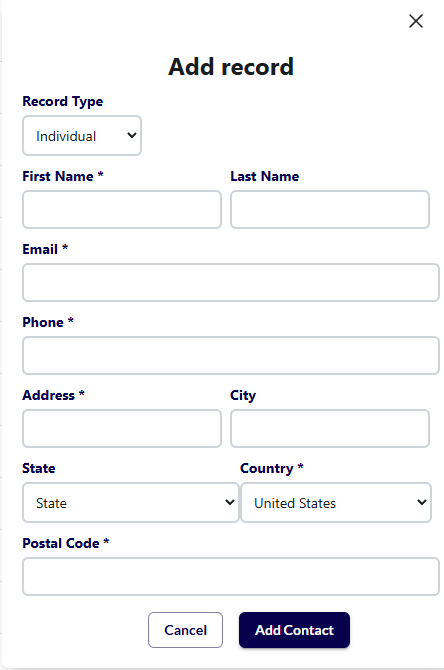
By default, the Add Record pop-up will launch with the record type set to individual, this will allow you to create a standard individual record in your database. The dropdown (1) will allow you to modify the type of record being created.
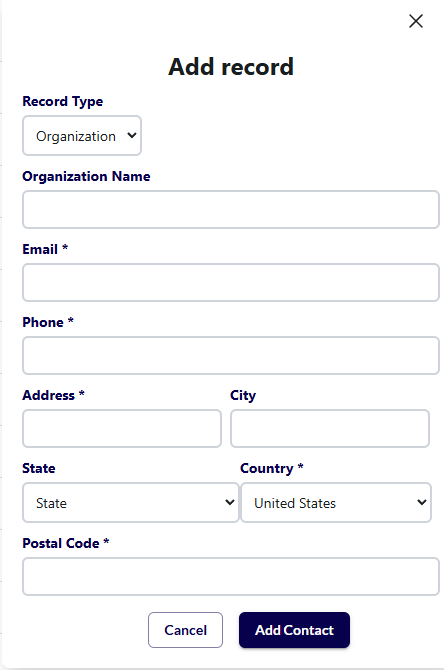
Organizational Record:
Almost identical to individual records, except they have an organization name instead of a first and last name. These are used to track another charity or business that you need to track in your database.
Household Records:
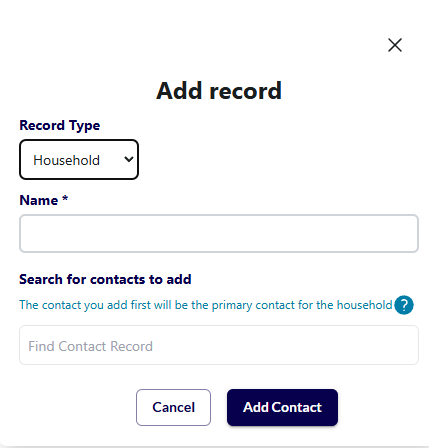
This is a unique record type that creates a group of individual records (commonly used to group donors who live in the same home), which allows you to track their activity separately while connecting them in a household record. A household record also allows you to view all the individual members' activity cumulatively and send receipts and communications to one primary individual record.
For household records, instead of filling out the information, you search for existing individual records in the system to add to the household. You can add as many records as you’d like to a household, but it must have at least two records initially.
The first record you add will be labelled as the primary record (where receipts and acknowledgements will be sent) but you can change the primary record in the future if needed.
Individual Records
Organizational Records
Household Records